
Four holding areas, and what each one is for
A submitted list does not sit in one place. Cart, orders, warehouse and parcel are four separate queues, and knowing which is which is most of knowing where a batch has got to.
A submitted list does not sit in one place. Cart, orders, warehouse and parcel are four separate queues, and knowing which is which is most of knowing where a batch has got to.
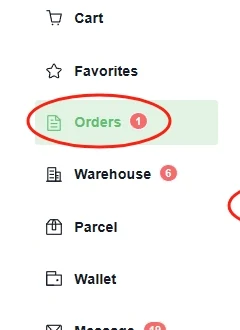
Cart holds addresses you have not committed to. For a batch that is useful: it is a staging area where the list can be incomplete without costing anything.
Orders holds purchases being processed or sent by the seller. Check whether the agent needs a clarification or payment; dispatch and arrival can differ between sellers.
Warehouse holds what has arrived and been looked over. This is where a batch reassembles itself and where its clock starts.
Parcel holds selected goods submitted for shipping. Items not included remain separate; contact the agent promptly if you need to change a parcel before dispatch.
Its confirmation screen lays the whole sequence out as a strip, which is the clearest single statement of what happens to a submitted link.

Two of the seven are payments and they are far apart. That gap is where a batch lives: items are bought individually and shipped collectively, and the whole point of sorting a list is to make the collective half tidy.
| Stage | What a batch does here | What it cannot do |
|---|---|---|
| Select and confirm | Group by shop; dedupe by item number. | Check likely shipping eligibility and budget before buying. |
| Pay for products | Review the cart’s actual product and domestic shipping payment. | The number of sellers does not determine the number of payment transactions. |
| Inspection and warehousing | Items reassemble; weights and photographs appear. | You can choose received, eligible items; other orders may still be on the way. |
| Submit parcels | Choose what travels together. | Items still upstream cannot join. |
The official QC help read 2026-10-10 describes a free visual inspection and photos covering details such as model, style, size, colour, visible damage and stains. Confirm the inspection and any exclusions for your item; this does not authenticate a product or fully test its performance.
Open each set of QC photos as it becomes available. Compare the actual item with the saved listing and variant, and explain any visible issue promptly while you can still ask about return or exchange options.
The complete buying guide explains how to compare the received item with your saved options, request a close-up and describe an issue. Check each item promptly because its return period begins separately.
Suppose your list contains a T-shirt, a pair of shoes and a bag from three sellers. Mark each order separately: paid, seller dispatched, received, inspected, issue unresolved or ready to submit. A badge on Warehouse is a count of records; it is not approval to ship every item shown there.
Check the photo set and any return/storage countdown for each received item. If the bag still needs a strap photograph, keep that question attached to the bag order instead of delaying a request until all three are packed. A later seller delivery does not reset the earlier item’s deadline.
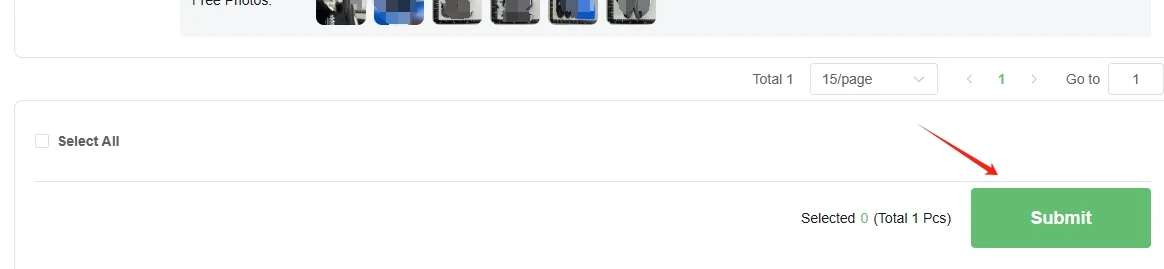
Before pressing Submit, reconcile the selected item quantities with the parcel you intend to create. Recheck any battery, liquid or fragile item against eligible routes. Compare packing choices using their measured result; selecting everything can change weight, dimensions and the available channels.
After parcel creation, keep the parcel reference beside the original purchase references. Use an item order number for a wrong option and the parcel/waybill number for an international tracking issue. This makes a support request easier to route without treating purchasing and shipping as one transaction.
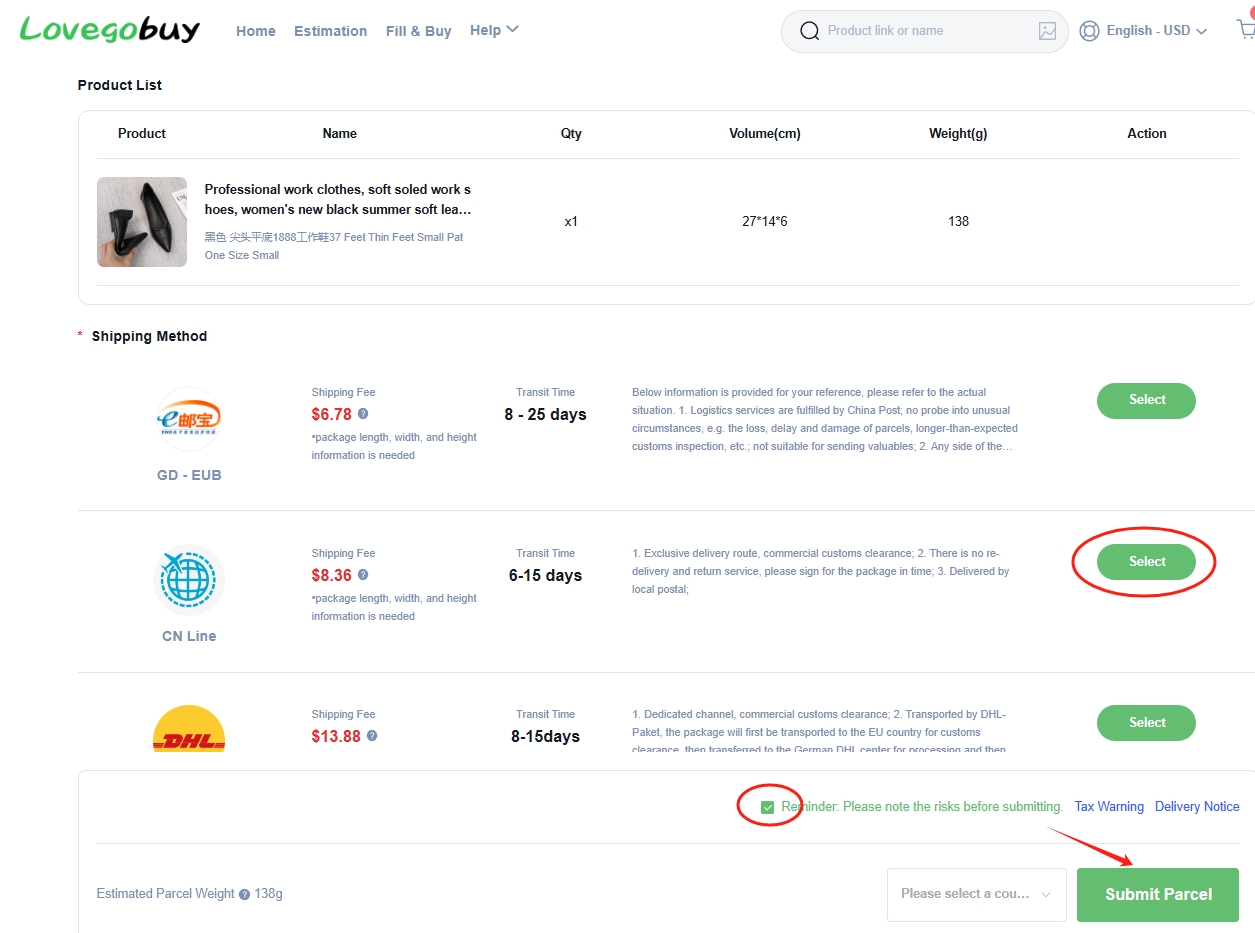
Review the selection before submission. Leaving items for later can create another parcel and shipping charge; the available changes or cancellation depend on the parcel’s current status.
The packed weight and dimensions affect the available routes and their charging basis. Compare these together with the destination and permitted item types before paying for shipping.
Decide whether to wait for an outstanding item or ship the received goods now. Check storage timing and compare any later parcel charge with your deadline.