
Lovegobuy Spreadsheet · links & buying guide
How to buy with Lovegobuy, from link to parcel
Use the Spreadsheet to discover an item, then confirm the order on Lovegobuy. This guide connects product selection, warehouse QC and international delivery.
Lovegobuy Spreadsheet · links & buying guide
Use the Spreadsheet to discover an item, then confirm the order on Lovegobuy. This guide connects product selection, warehouse QC and international delivery.
Start with a category or search by product name. Open the original seller link and compare the title, photos, seller identity, price and available options. A catalogue card can lag behind a seller’s stock or price; use the current listing before deciding.
Save the full URL plus the exact colour, size and quantity. Use the seller’s measurement chart and compare it with a similar item you own. If a chart or material detail is missing, ask before ordering. A familiar size label does not establish the measurements.
The link cleaner can flag repeated item numbers. Review every duplicate: two colours of one listing are a valid choice, so keep their variant details separately.
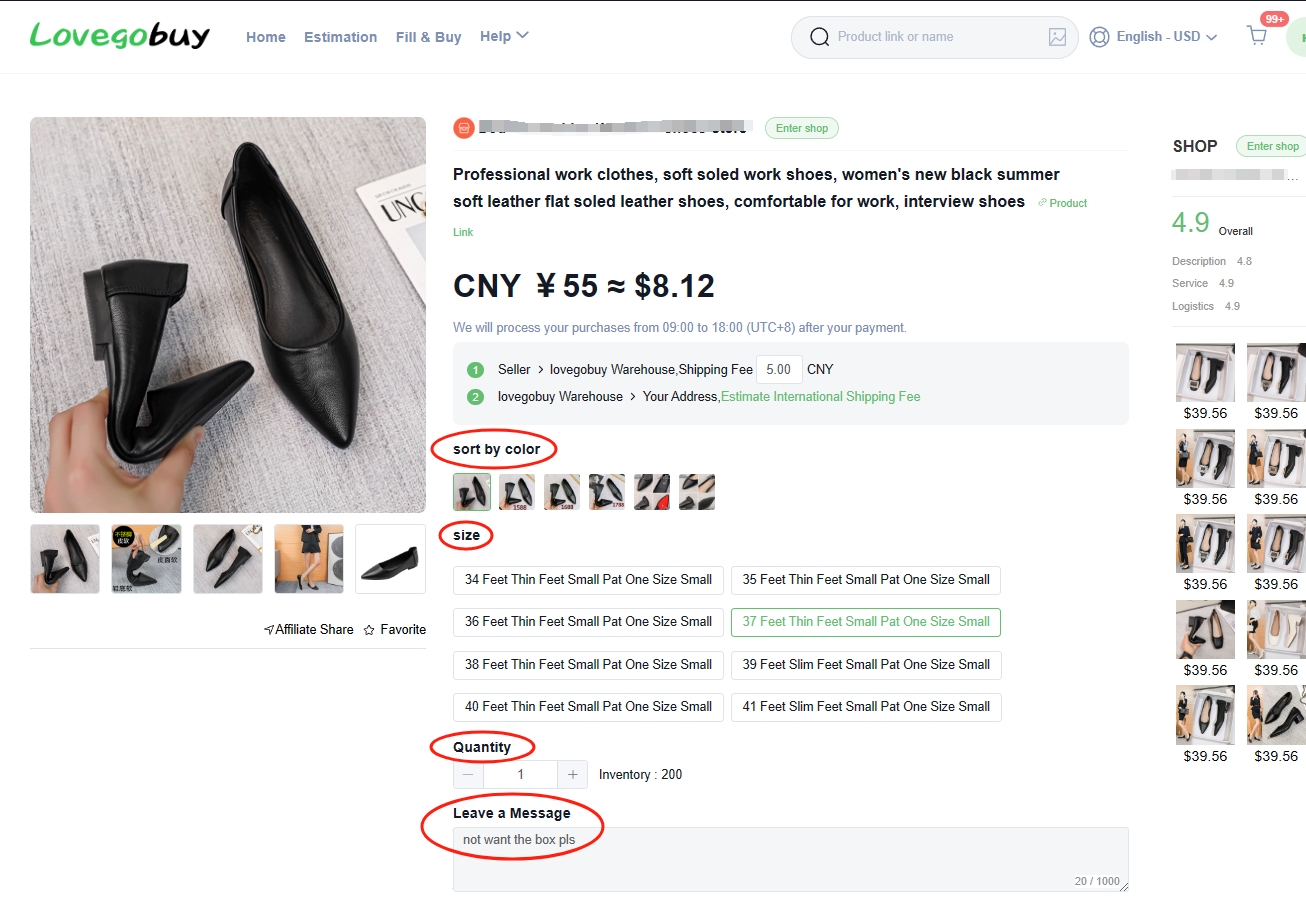
Try an eligible Taobao, Tmall, 1688 or Weidian link in Lovegobuy’s product search. Confirm the imported item matches the seller page. A recognized platform does not guarantee that a removed, restricted or incomplete listing can be ordered.
For a manual request, include the source link, product name, exact option, quantity and expected price. The official Fill & Buy article read 2026-10-10 names JD, Yupoo, Xianyu, Zhuanzhuan, Xiaohongshu and Poizon among supported examples. The agent still needs to confirm the item and applicable terms. Prepare the request details.
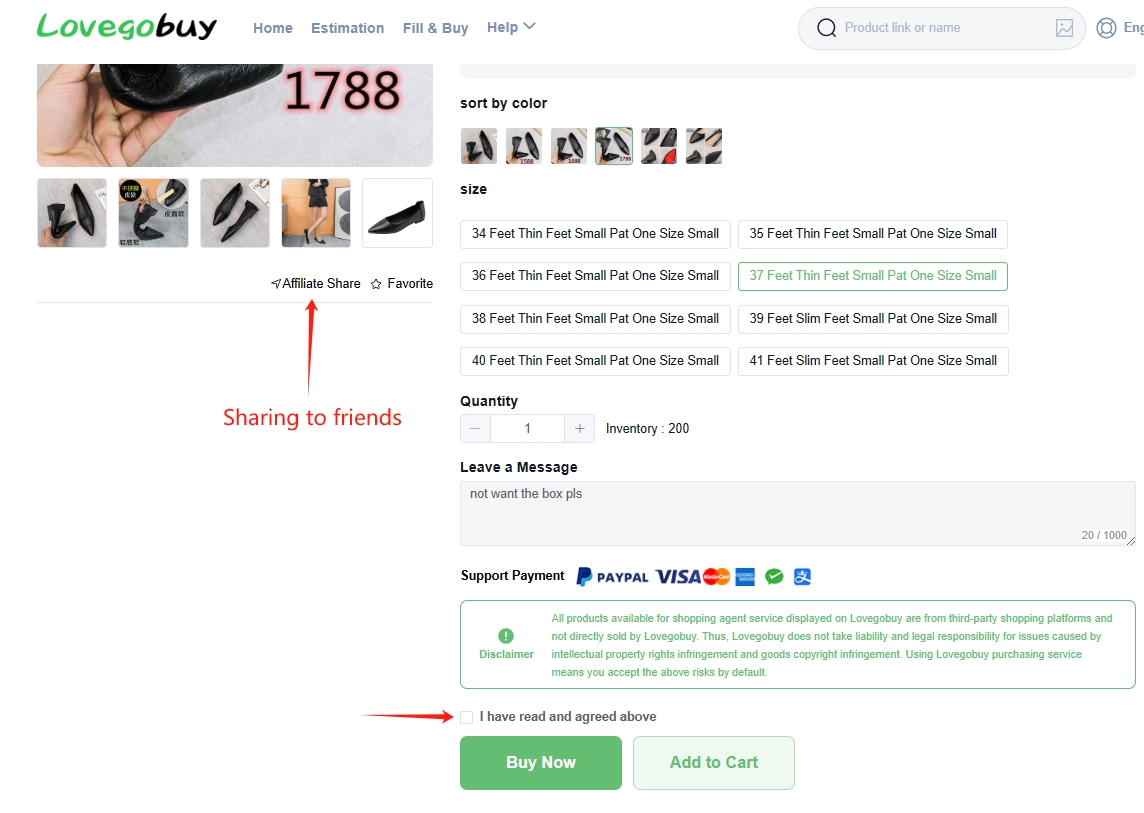
Check the variant, quantity, goods price and seller-to-warehouse delivery charge before paying. Same-seller items checked out together may share domestic shipping; a large or overweight order may require a supplement. That does not establish how many payment transactions your cart needs.
Read the third-party seller disclaimer and the terms for cancellation or returns. Payment-method charges and the agent’s conversion rate can affect the total. Keep a separate budget for international delivery, optional packing or photos, and any destination charges.
Use the order and warehouse pages to follow seller dispatch and arrival. Open each item’s QC photos as they appear. Match colour, size label, style, quantity and visible condition to your saved order; inspect seams, marks, damage and any feature that matters for your purchase.
Standard QC is a visual inspection. Photos cannot establish authenticity, comfort, long-term durability or full electronic performance. Request a useful close-up or measurement when the standard views do not answer your question. Paid photo options and eligibility should be confirmed in the account.
If you would accept the visible condition, buyers often call that a GL (green light). A visible problem is often called an RL (red light). Those are buyer shorthand, not an automatic official approval or return instruction. Explain the specific issue to support, attach the relevant photo and ask about your options.
The return article read 2026-10-10 states a 120-hour window after “Stocked in”, with conditions and charges. Each item has its own timing; check the current order terms promptly instead of waiting for the last item in your list. Return questions and official support.
Select the warehouse items you want to send together. You can leave other items for later, subject to their storage limits; sending a partial batch may create another shipping charge. Check that outstanding QC or return questions are resolved before submission.
Compare actual packed weight, dimensions, destination and the route’s charging basis. Some routes use volumetric weight. Read permitted item types, size limits, tracking, compensation terms and estimated transit time. Liquids, batteries and other restricted items may need a particular route or may not be accepted.
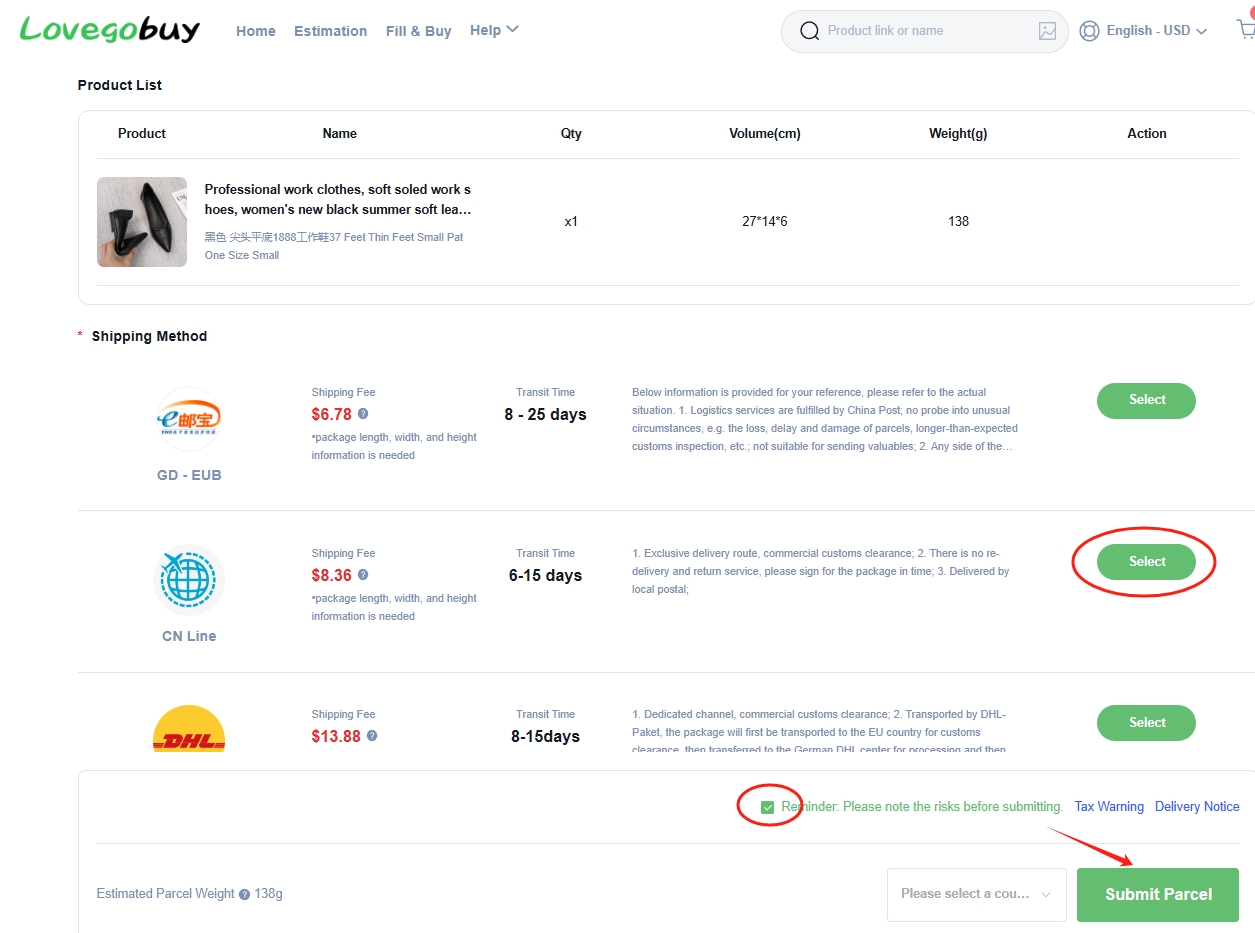
Use the official shipping estimator for a planning estimate, then review the actual parcel quote before payment. Enter accurate recipient and declaration details and check the rules for your destination.
After dispatch, follow the parcel page and carrier tracking. Tracking stages can update at different times; a delivery estimate is not a promise. If a parcel stalls or an item arrives damaged, use the agent’s support channel with the order or parcel reference, a clear description and relevant photos.
On delivery, compare the contents with your order and keep packaging and evidence while a problem is unresolved. This independent site cannot access orders, collect payments or decide a claim. Find official help.
Policy references read 2026-10-10. Tutorial images archived 2026-06-16. The live account and current official terms govern your order.